Mobile App vs Web App vs PWA: Which Should You Build in 2026?
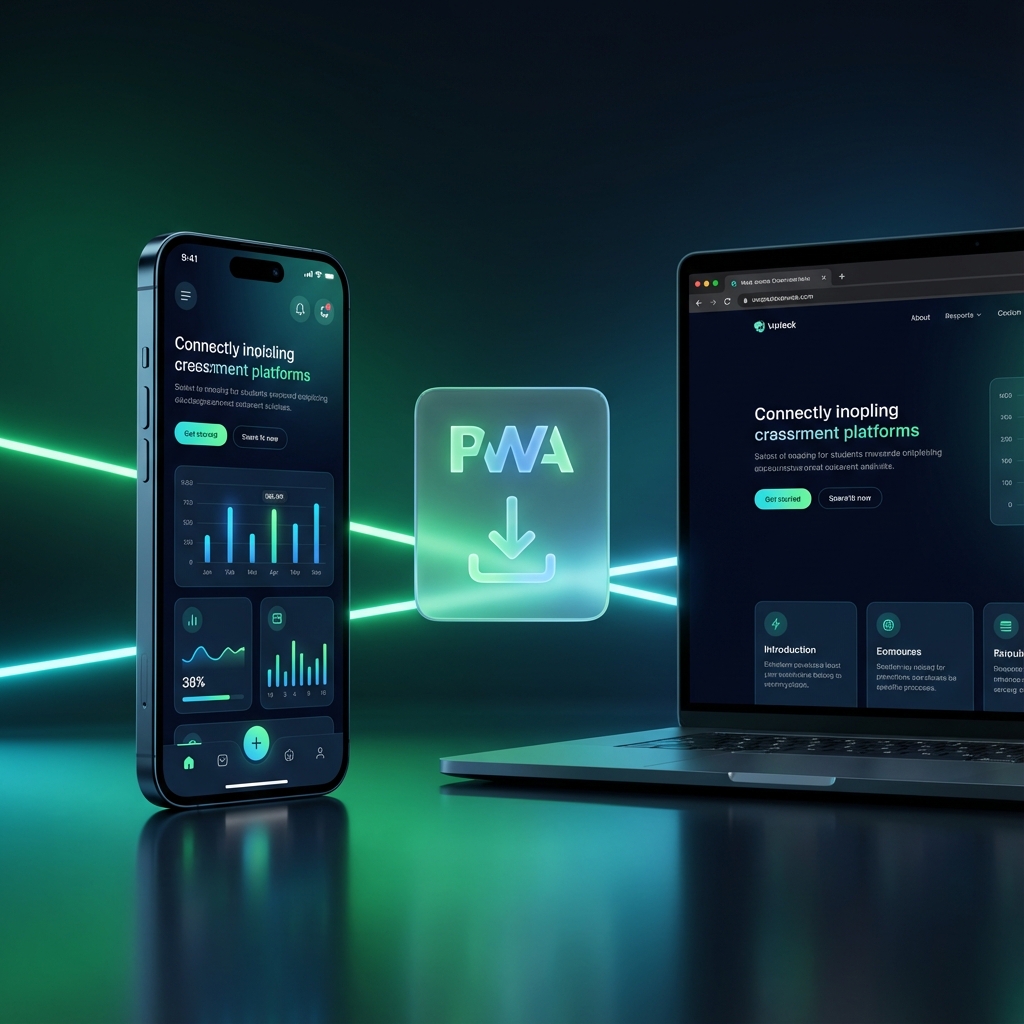
Complete comparison of mobile apps, web apps, and Progressive Web Apps. Learn which platform is right for your project based on cost, performance, reach, and user experience.
Quick Answer: Choose a web app for maximum reach and fast iteration. Choose a native mobile app when you need full device access (camera, sensors, offline) and app store presence. Choose a PWA as a middle ground—installable, offline-capable, but without app store fees.
Deciding between a mobile app, web app, or Progressive Web App (PWA) is one of the most important decisions you'll make in your project. This comprehensive guide breaks down the differences, costs, and ideal use cases for each platform.
Table of Contents
- Understanding the Three Options
- Quick Comparison Table
- Web Apps: The Universal Choice
- Native Mobile Apps: Maximum Power
- Progressive Web Apps: The Best of Both
- Decision Framework: How to Choose
- Cost Comparison
- Performance Comparison
- User Experience Considerations
- Common Mistakes When Choosing
- Use Case Examples
- FAQs
Understanding the Three Options
Before we dive deep, let's clarify what each option actually means:
What is a Web App?
A web app is an application accessed through a web browser (Chrome, Safari, Firefox). Users visit a URL, and the app loads. No installation required.
Examples: Gmail, Notion (web version), Figma, Google Docs
Key characteristics:
- Runs in a browser
- No app store submission
- Works on any device with a browser
- Updates instantly (no user action needed)
- Limited device feature access
What is a Native Mobile App?
A native mobile app is built specifically for a platform (iOS or Android) using platform-specific languages and tools.
Examples: Instagram, Uber, WhatsApp
Key characteristics:
- Downloaded from App Store or Play Store
- Full access to device features
- Best performance
- Works offline
- Requires app store approval
What is a Progressive Web App (PWA)?
A PWA is a web app enhanced with modern browser features to provide an app-like experience. Users can "install" it to their home screen.
Examples: Twitter Lite, Starbucks, Pinterest
Key characteristics:
- Accessed via browser, but installable
- Works offline (with service workers)
- Push notifications (on Android, limited on iOS)
- No app store fees
- Single codebase for all platforms
Quick Comparison Table
| Feature | Web App | Native Mobile | PWA |
|---|---|---|---|
| Installation Required | No | Yes (App Store) | Optional (Home Screen) |
| App Store Presence | ❌ No | ✅ Yes | ❌ No |
| Offline Support | ❌ Limited | ✅ Full | ✅ Yes (Service Workers) |
| Push Notifications | ❌ Limited | ✅ Full | ⚠️ Partial (Android > iOS) |
| Camera Access | ⚠️ Limited | ✅ Full | ⚠️ Limited |
| GPS/Location | ✅ Yes | ✅ Yes | ✅ Yes |
| Bluetooth/NFC | ❌ No | ✅ Yes | ❌ No |
| Performance | Good | Best | Good |
| Development Cost | Lowest | Highest | Medium |
| Time to Market | Fastest | Slowest | Fast |
| Update Speed | Instant | Days (App Review) | Instant |
| Discoverability | Google/SEO | App Stores | Google/SEO |
| Monetization | Any | 15-30% App Store Cut | Any |
Web Apps: The Universal Choice
When to Build a Web App
Build a web app when:
- Maximum reach is priority - Anyone with a browser can access it
- Budget is limited - One codebase, lower development cost
- Fast iteration matters - Ship updates instantly, no app store review
- SEO is important - Web apps are indexable by Google
- Your app is content-focused - Blogs, dashboards, documentation tools
- B2B SaaS products - Enterprise users often prefer browser access
Web App Advantages
| Advantage | Impact |
|---|---|
| No app store fees | Save $99-125/year + 15-30% transaction fees |
| Instant updates | Fix bugs in minutes, not days |
| SEO-friendly | Google indexes your content |
| Cross-platform | Works on desktop, tablet, mobile |
| Lower development cost | 40-60% cheaper than native |
| No approval process | Launch on your schedule |
Web App Limitations
- Limited device access - No Bluetooth, NFC, advanced sensors
- Performance ceiling - Can't match native app speed
- No home screen presence - Unless user bookmarks
- Browser dependency - Requires internet (mostly)
- No push notifications - Limited browser support
Best Technologies for Web Apps
| Technology | Best For |
|---|---|
| Next.js | Full-stack React apps, SEO-critical |
| Remix | Form-heavy apps, progressive enhancement |
| SvelteKit | High-performance, smaller bundles |
| Nuxt | Vue ecosystem |
| Django/Rails | Traditional server-rendered apps |
Native Mobile Apps: Maximum Power
When to Build a Native Mobile App
Build a native mobile app when:
- App store presence is critical - Discovery, trust, ratings
- Hardware features are essential - Camera, Bluetooth, sensors, AR
- Performance is non-negotiable - Games, video editing, real-time apps
- Offline-first is required - Field service apps, remote areas
- Push notifications are key - Messaging, alerts, engagement
- Premium user experience - Smooth animations, gestures
Native App Advantages
| Advantage | Impact |
|---|---|
| Full device access | All hardware features available |
| Best performance | 60 FPS animations, fast load times |
| Offline capability | Full functionality without internet |
| Push notifications | 3-10x better engagement |
| App store discovery | 3.5M+ apps, but still discoverable |
| Monetization options | In-app purchases, subscriptions |
Native App Limitations
- Higher development cost - 2-3x more expensive than web
- Longer development time - Separate iOS/Android codebases (unless cross-platform)
- App store fees - Apple: $99/year, Google: $25 one-time
- Revenue sharing - 15-30% cut on transactions
- Update delays - 24 hours to 2 weeks for review
- Store rejection risk - Your app might not get approved
Native vs Cross-Platform
| Approach | Pros | Cons |
|---|---|---|
| Native (Swift/Kotlin) | Best performance, full features | 2x development cost |
| React Native | Single codebase, near-native | Some performance overhead |
| Flutter | Fast UI, single codebase | Dart learning curve |
| Expo | Easy setup, OTA updates | Some native limitations |
Progressive Web Apps: The Best of Both
When to Build a PWA
Build a PWA when:
- Budget is limited but you want app-like features
- You need offline support without app store complexity
- Your primary users are on Android (PWA support is stronger)
- Fast iteration is important - Skip app store reviews
- You're already building a web app - PWA is an enhancement
PWA Advantages
| Advantage | Impact |
|---|---|
| No app store fees | Save $125+/year + transaction fees |
| Installable | Appears on home screen like native app |
| Offline capable | Service workers cache content |
| Fast updates | Deploy changes instantly |
| Smaller size | KB not MB like native apps |
| SEO-friendly | Still indexable by Google |
PWA Limitations
- iOS restrictions - Limited push notifications, storage caps
- No app store discovery - Must drive traffic via web
- Limited hardware access - No Bluetooth, NFC, advanced sensors
- Browser variations - Features vary by browser/OS
- User awareness - Many don't know how to "install" PWAs
PWA Feature Support by Platform
| Feature | Android/Chrome | iOS Safari |
|---|---|---|
| Install to home screen | ✅ Full | ✅ Yes |
| Push notifications | ✅ Yes | ⚠️ Limited (iOS 16.4+) |
| Offline mode | ✅ Yes | ✅ Yes |
| Background sync | ✅ Yes | ❌ No |
| Storage quota | ✅ Generous | ⚠️ Limited (50MB default) |
| App icon badge | ✅ Yes | ⚠️ Limited |
Decision Framework: How to Choose
Use this framework to make your decision:
Step 1: Define Your Must-Haves
Ask yourself:
| Requirement | If Yes → |
|---|---|
| Need app store presence? | Native or PWA (Android only) |
| Need Bluetooth/NFC/AR? | Native only |
| Need push notifications (iOS)? | Native only |
| Budget under $20K? | Web or PWA |
| Need to launch in < 4 weeks? | Web or PWA |
| Users mostly on desktop? | Web |
| Need offline-first? | Native or PWA |
| Need SEO/Google discovery? | Web or PWA |
Step 2: Match Your Use Case
| Use Case | Best Choice | Why |
|---|---|---|
| B2B SaaS | Web App | Browser access, no install friction |
| E-commerce | PWA | Offline catalog, fast checkout |
| Social Media | Native | Camera, notifications, performance |
| Gaming | Native | Performance, hardware access |
| News/Content | PWA | Offline reading, push updates |
| Productivity | Web or PWA | Cross-device sync |
| IoT/Smart Home | Native | Bluetooth, background processing |
| Banking/Finance | Native | Security, biometrics |
Step 3: Consider Your Stage
| Stage | Recommendation |
|---|---|
| Validating idea | Web App (fastest) |
| MVP with 100 users | Web App or PWA |
| Growing with 10K users | PWA or Native |
| Scaling with 100K+ users | Consider Native for engagement |
Cost Comparison
Development Cost by Platform
| Platform | Solo + AI | Freelancer | Agency |
|---|---|---|---|
| Web App | $500-2K | $5K-25K | $25K-100K |
| PWA | $1K-3K | $8K-35K | $35K-150K |
| Native (One Platform) | $2K-8K | $15K-50K | $50K-200K |
| Native (iOS + Android) | $3K-15K | $25K-100K | $75K-300K |
Ongoing Costs Comparison
| Cost Category | Web/PWA | Native |
|---|---|---|
| Hosting | $0-100/mo | $0-100/mo |
| App Store Fees | $0 | $125/year |
| Transaction Fees | 0-3% (Stripe) | 15-30% (Apple/Google) |
| Updates | Free (instant) | Free (but review time) |
| Maintenance | Lower | Higher (2 codebases) |
Total Cost of Ownership (3 Years)
| Scenario | Web App | PWA | Native (Both Platforms) |
|---|---|---|---|
| Simple App | $15K | $20K | $60K |
| Medium App | $40K | $55K | $150K |
| Complex App | $100K | $130K | $400K+ |
Performance Comparison
Load Time
| Metric | Web App | PWA | Native |
|---|---|---|---|
| First Load | 2-5s | 1-3s (cached) | Instant (installed) |
| Subsequent Loads | 1-3s | 0.5-1s | Instant |
| Offline Load | ❌ Fails | ✅ Instant | ✅ Instant |
Runtime Performance
| Metric | Web App | PWA | Native |
|---|---|---|---|
| Animation Smoothness | 30-60 FPS | 30-60 FPS | 60 FPS |
| Memory Usage | Higher | Higher | Optimized |
| Battery Impact | Medium | Medium | Low |
| CPU Efficiency | Lower | Lower | Higher |
When Performance Matters Most
- Gaming → Native required
- Video editing → Native required
- Real-time collaboration → Web/PWA acceptable
- Content browsing → All acceptable
- Data dashboards → Web preferred
User Experience Considerations
Installation Friction
| Platform | Friction Level | User Action Required |
|---|---|---|
| Web App | None | Visit URL |
| PWA | Low | "Add to Home Screen" |
| Native | Medium | Find in store, download, wait, open |
Update Experience
| Platform | Update Speed | User Action |
|---|---|---|
| Web App | Instant | None (refresh) |
| PWA | Instant | None (automatic) |
| Native | Hours-Days | Manual or Auto-update |
Retention Patterns
| Platform | 30-Day Retention | Why |
|---|---|---|
| Web App | 5-15% | No home screen presence |
| PWA | 15-30% | Home screen + notifications |
| Native | 25-40% | Full notifications + habits |
Common Mistakes When Choosing
Mistake 1: Building Native Too Early
Problem: Spending $50K+ on native app before validating the idea. Solution: Start with web/PWA. Add native later if needed.
Mistake 2: Ignoring iOS PWA Limitations
Problem: Assuming PWA works the same on iOS as Android. Solution: Test thoroughly on iOS Safari. Plan for limitations.
Mistake 3: Underestimating Maintenance Cost
Problem: Budgeting for v1 only, then running out of money. Solution: Budget 20-30% of initial cost annually for maintenance.
Mistake 4: Choosing Based on Trend, Not Need
Problem: Building native because "everyone else does." Solution: Match your actual requirements to platform capabilities.
Mistake 5: Forgetting About Discovery
Problem: Building a great app no one can find. Solution: Web/PWA for SEO, Native for app store search.
Use Case Examples
Use Case 1: Task Management App
Requirements: Cross-platform, offline sync, quick access Recommendation: PWA Why: Offline works, home screen install, no store fees, web indexable
Use Case 2: Food Delivery App
Requirements: Real-time location, push notifications, payments Recommendation: Native Mobile Why: GPS accuracy, reliable notifications, trusted payments
Use Case 3: Company Dashboard
Requirements: Desktop-first, complex data visualization, team accounts Recommendation: Web App Why: Desktop usage, no install needed, complex UI better on web
Use Case 4: Fitness Tracker
Requirements: Health sensors, background tracking, Apple/Google Health integration Recommendation: Native Mobile Why: Hardware sensor access, health app integration, background processing
Use Case 5: News Reader
Requirements: Offline reading, push alerts, content-heavy Recommendation: PWA Why: Offline capable, push notifications (Android), SEO for content
FAQs
Can I convert a web app to a native app later?
Yes, but it's not a simple conversion. You can:
- Wrap in WebView - Quick but performance suffers
- Use React Native Web - Share some code
- Rebuild - Cleanest but most work
Best approach: Design with mobile-first responsive web, then rebuild native if needed.
Do PWAs work on iPhone?
Yes, but with limitations. iOS PWAs support offline mode and home screen install, but push notifications are limited (iOS 16.4+) and storage is capped at 50MB.
Which has better SEO?
Web apps and PWAs are fully SEO-friendly. Native apps are not indexed by Google (though App Store has its own search).
Can I have both a web app and mobile app?
Yes! Many companies do this:
- Web app for desktop users and SEO
- Native app for mobile power users
Share backend/API between both.
What if I need to pivot quickly?
Web/PWA is best for fast pivots. You can deploy changes instantly. Native requires app store review (24 hours - 2 weeks).
Next Steps
- Assess your requirements using the decision framework above
- Start with specs - Use Context Ark to generate your app specifications
- Build an MVP - Start with the simplest viable option
- Get user feedback - Validate before expanding platforms
- Scale platform - Add native only when data supports it
Related Guides
- How to Build an App in 2026 (Complete Guide)
- How Much Does It Cost to Build an App?
- No-Code vs AI Coding vs Hiring Developers
- App Store Submission Checklist
Last updated: January 2026
Context Ark Team
Writing about AI, documentation, and developer tools
Turn Brain Dumps into PRDs
Don't let AI guess your requirements. Generate a structured PRD with acceptance criteria instantly.