
Agent Skills: What They Are & How to Use Them (2026 Guide)
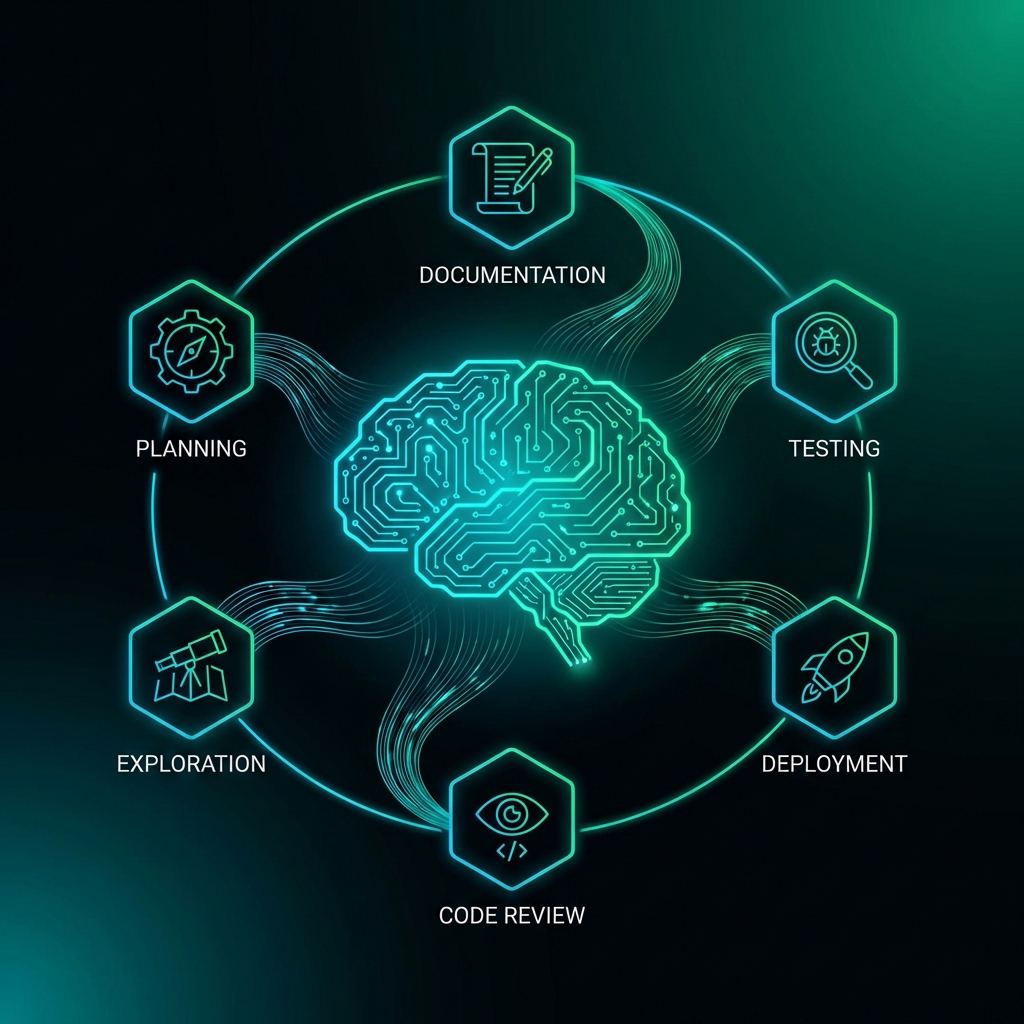
Learn what AI agent skills are, why they prevent hallucinations, and how to create project-aware skills for Claude Code, Cursor, and other AI coding tools.
Agent Skills: What They Are & How to Use Them
If you've ever watched your AI coding assistant confidently write code that completely misses the point of your project, you've experienced the context gap problem. The AI doesn't know your project's conventions, constraints, or goals—so it hallucinates.
Agent Skills solve this by teaching your AI how to work within your specific project.
What Are Agent Skills?
Agent Skills are structured instruction files that teach AI coding agents (like Claude Code, Cursor, or Windsurf) how to perform specific tasks within your project context.
Unlike generic prompts, skills are:
- Project-aware: They know your tech stack, coding conventions, and architectural patterns
- Task-specific: Each skill handles one job (planning, testing, deploying, etc.)
- Reusable: Load the same skills across all your coding sessions
Think of skills as a training manual for your AI assistant—customized to your codebase.
Why Skills Matter
The Problem: Context Loss
Every time you start a new AI coding session:
- The AI has no memory of your project
- It guesses your conventions (often wrong)
- It writes code that "works" but breaks your patterns
- You spend time fixing hallucinations
The Solution: Skills
With a skill pack installed, your AI:
- Knows your project's goals from day one
- Follows your established patterns
- Writes code that fits your architecture
- Reduces hallucinations by 60-80%
The 6 Foundation Skills
Every project needs these core capabilities:
| Skill | What It Does |
|---|---|
| Planning Projects | Breaks work into phases, milestones, and dependencies |
| Exploring Repos | Navigates codebases and understands architecture |
| Writing Documentation | Generates READMEs, API docs, and inline comments |
| Testing Code | Writes unit, integration, and E2E tests |
| Reviewing Changes | Audits PRs for bugs, security, and best practices |
| Deploying Apps | Ships to production with proper CI/CD practices |
How to Generate Skills for Your Project
- Go to the Agent Skills Generator
- Enter your project name and tech stack
- Select your target platforms (Claude Code, Cursor, etc.)
- Download your custom skill pack
The generator creates project-specific skills based on your stack and goals. A Next.js + Supabase project gets different skills than a Python FastAPI project.
Using Skills with Claude Code
- Unzip your skill pack into your project's
.agent/skills/folder - The skills automatically load when Claude Code starts
- Reference skills in your prompts: "Use the testing-code skill to write tests for this component"
Using Skills with Cursor
- Copy skill files into your
.cursor/rules/folder - Skills become part of Cursor's context
- The AI automatically applies skills when relevant
Best Practices
- Start with Foundation Skills: Use the 6 core skills before creating custom ones
- Update Skills When Patterns Change: If you refactor, update your skills
- Share Skills Across Team: Everyone on your team should use the same skill pack
- Combine with PRD: Skills work best when paired with a clear PRD
What's Next?
Ready to give your AI agent project-aware skills?
Generate Your Free Skill Pack →
FAQ
Do skills work with all AI coding tools?
Skills work with Claude Code, Cursor, Windsurf, and VS Code Copilot (with configuration). We're adding support for more tools.
How are skills different from .cursorrules?
Skills are more granular and task-specific. A .cursorrules file sets global behavior; skills teach specific capabilities. Use both together for best results.
Can I create custom skills?
Yes! Start with Foundation Skills, then create custom skills for your specific workflows (like "deploying to AWS" or "writing GraphQL resolvers").
Context Ark Team
Writing about AI, documentation, and developer tools
Is your spec ready for AI?
Vibe coding fails when context is missing. Get a readiness score and find out what you're forgetting.